
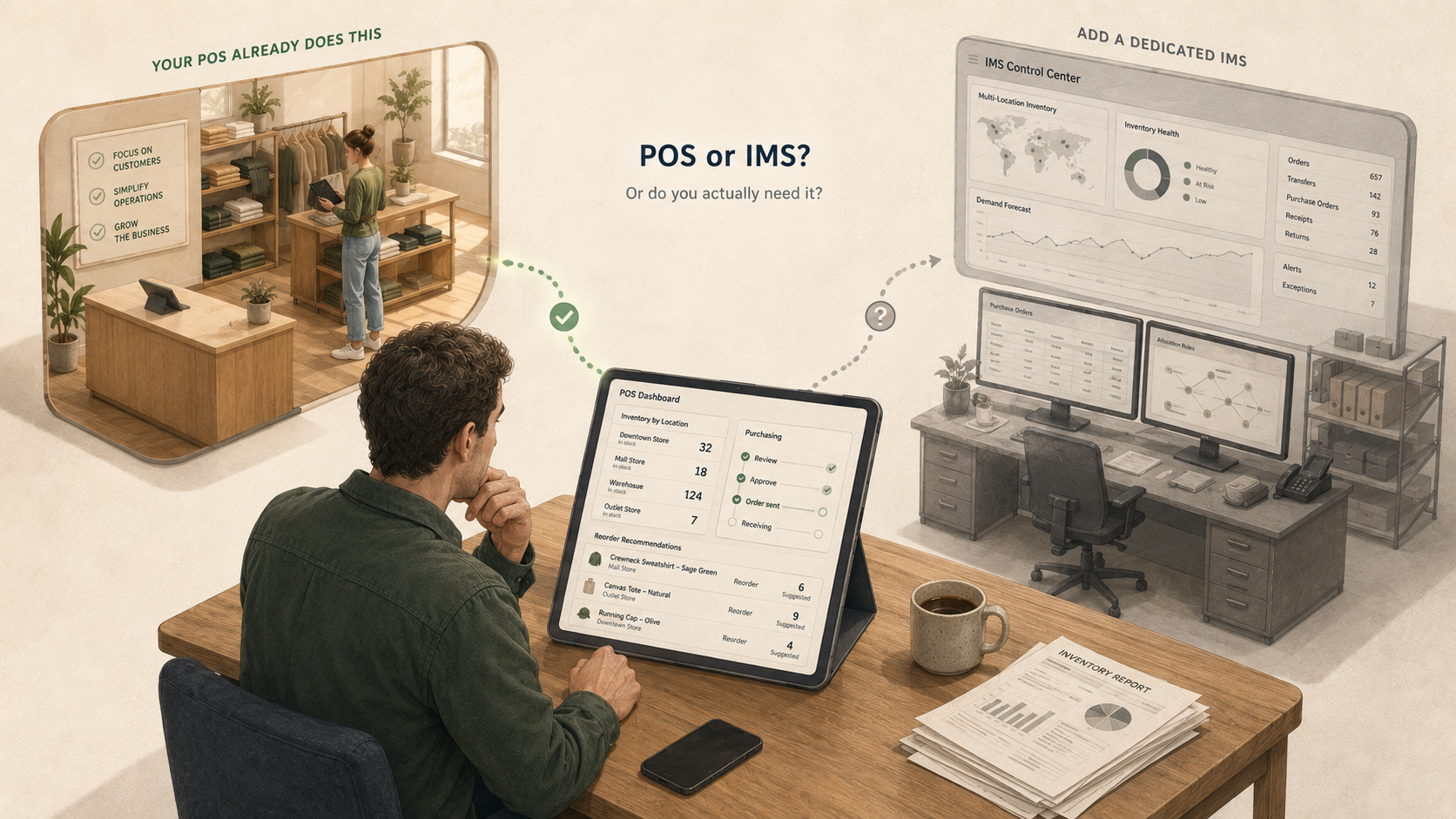
Your operations lead floats the idea: "We should look at a dedicated inventory management system." Maybe the idea came from a conference talk, maybe from a vendor pitch, maybe from frustration with how multi-location inventory currently gets handled. The case is straightforward — better forecasting, centralized purchasing, multi-warehouse routing, proper reporting. The IMS category has well-funded vendors and good marketing.
Before you start evaluating products, it's wise to ask yourself something more fundamental: does your business actually need a separate IMS, or do you need a better way to connect the systems you already have?
This post is a practical guide to that decision. We'll walk through what multi-location inventory management actually requires, when a dedicated IMS is genuinely the right answer, when the POS you already run is enough, and how to tell which case you're in.
What multi-location inventory management actually requires
Before any system question, the operational checklist:
- Per-location accuracy. Each store needs to know what it has, and that view needs to match the actual shelf.
- Cross-location visibility. Someone — usually a buyer or operations lead — needs to see stock positions across all locations to make transfer and purchasing decisions.
- Channel sync. Every channel that can sell the same physical unit (Shopify, in-store, marketplaces, social commerce) needs to reflect a consistent picture.
- Receiving and adjustments. When new stock arrives, when damages get written off, when a transfer comes in — these have to flow through one system of record without dual entry.
- Cycle counting and damage discipline. Without regular physical reconciliation, every system's view drifts away from shelf reality over time.
- Reporting. Sales by location, stock turn, vendor performance, margin by category — operational decisions depend on reliable data here.
Note what this list doesn't say: "use a dedicated IMS." These requirements describe the operational reality, not the product category. Different systems can deliver them differently.
Well, do you need a dedicated IMS?
Behind "do I need an IMS?" is a more useful question: does the inventory management built into your POS handle your operational needs, or do you genuinely need a dedicated IMS app on top of it?
Both can be the right answer. Most multi-location specialty retailers find their POS handles the core operational picture — per-location stock, transfers, receiving, reorder logic, cycle counting, reporting — and the real gap is connectivity to their online channels rather than inventory management capability itself. A smaller group of retailers has buy-side complexity (forecasting, multi-supplier purchasing, manufacturing) that genuinely outgrows what any POS can handle, and for them a dedicated IMS is the right tool.
What the marketing for dedicated IMS apps tends to push is that the answer is always "yes, you need us" — regardless of whether your actual pain is connectivity or functional gaps. The honest answer depends on the specific operational issue you have, not the abstract feature list. The next two sections walk through when each side is right.
When a dedicated IMS is genuinely the right answer
Some retailers genuinely benefit from a dedicated IMS. The honest cases:
- Very high SKU count (roughly 75,000+) with active reordering decisions happening daily across many vendors and stores. The volume of purchasing work alone justifies a system built around it. Below that threshold — even retailers with tens of thousands of SKUs — buying workflows usually fit comfortably within a capable POS.
- Manufacturing or assembly workflows — if you build finished goods from components, or break larger units down into smaller ones, your inventory model has dimensions that retail POS systems don't typically handle.
- Deep purchase order workflows — multi-supplier sourcing, complex receiving rules, approval chains, drop-ship coordination with manufacturers.
- Wholesale-heavy operations with B2B-specific inventory rules — committed stock, customer-specific pricing, account-based availability.
- Forecasting and demand planning as a core operational function. Some retailers genuinely run their business on demand forecasts and need the tooling to support that.
- Multi-POS consolidation — if you have several different POS systems across regions or business units, an IMS can be where the unified picture lives.
If you're in one of these categories, a dedicated IMS is probably the right tool. The rest of this post is for the retailers who aren't — which, in our experience, is most multi-location Shopify retailers.
Your POS is already an inventory management system
Here's the part most "do I need an IMS?" content misses: every Shopify retailer is already running an integration-based inventory architecture. Every app in the Shopify App Store is an integration. Your shipping carrier, your accounting system, your email marketing, reviews, loyalty program, customer service, marketplaces — every one of them connects to Shopify through an integration. The question isn't whether to have integrations; that question doesn't exist for any retailer operating in the Shopify ecosystem.
Modern retail POS systems — Lightspeed Retail (R-Series), Lightspeed Retail (X-Series), Heartland Retail, Shopify POS — already handle the core inventory management requirements at the store level: per-location stock, transfers, receiving, basic reorder workflows, cycle counting, and reporting. Functionally, this is inventory management. For most multi-location retailers, the operational picture the POS already produces is sufficient.
The gap most retailers actually have isn't "we need a separate IMS." It's "our POS and our online store don't talk to each other reliably." That's a connectivity problem, not a system-of-record problem. Solving connectivity doesn't require buying a new inventory management system; it requires an integration that's actually good at its job.
A common objection at this point is merchandising control: "If POS is our system of record, do we lose our curated Shopify catalog?" The answer is no — modern integrations let you choose per-attribute which fields sync from POS to Shopify. Inventory and product data flow from POS as the system of record; titles, descriptions, images, and merchandising tags stay under your e-commerce team's control. Keeping inventory in the POS doesn't mean the POS controls your merchandising.
There's also a transaction-locality argument worth considering. Roughly 80% of retail transactions still happen in-store, at the POS. When your POS is also your inventory system, those transactions update inventory in the same system that recorded them — no sync delay, no risk of dropped updates, no reconciliation required. A separate IMS has to learn about those transactions through sync, adding latency and creating another surface where drift can happen.
The integration alternative
The architecture most multi-location Shopify retailers actually need looks like this:
- Your POS stays where your team works for inventory and product data — receiving, transfers, cycle counts, adjustments, and the bulk of transactions all happen there, and flow to Shopify in real time.
- Integration layer that keeps Shopify (and any other channel) in sync with the POS in real time. Bidirectional, so changes flow both ways.
- Reporting in the POS where the store team already works, and 80% of transactions originate.
- Merchant-controlled merchandising sync so your e-commerce team's curated catalog stays under their control.
What this avoids is the migration question that comes with switching IMS systems. Inventory transactions are deeply interconnected — cost layers, sales-to-PO matching, receiving chronology, returns reconciliation — and rebuilding that history in a new system so your reports stay consistent is a hard technical problem that most IMS migrations don't solve cleanly. Retailers who switch IMS often find they've effectively started over for historical reporting. The integration approach avoids the question entirely: your transactional history stays where it already is.
There's also the third-party fulfillment case. Most multi-location retailers don't fulfill exclusively from their own stores. Drop-ship vendors, 3PL partners, manufacturer-direct fulfillment — inventory sits with multiple parties, each tracking its own. A dedicated IMS that tries to be the master record for everything has to sync with each partner, and each new partner adds reconciliation work. A lighter integration that keeps the POS and Shopify in step — and respects each partner's own inventory — handles this more cleanly.
Decision framework: integrate or add an IMS?
The decision usually comes down to which of two questions describes your actual pain:
"Our POS and Shopify don't reflect each other reliably." That's a connectivity problem. The fix is an integration. Adding an IMS will still leave you with the same connectivity problem, plus a new system to maintain.
"Our buy-side operations have grown beyond what the POS can handle." That's a functional gap — usually around purchasing, forecasting, multi-supplier workflows, or manufacturing. Here a dedicated IMS may genuinely be required, and the integration question becomes about how the IMS connects to your existing stack.
The wrong move is adding an IMS to solve a connectivity problem. You'll still need the integration layer, you'll have introduced a new vendor and a new monthly fee, and your store teams will have a new system to learn. The integration alone would have solved the actual issue.
How Mortar fits this picture
For multi-location Shopify retailers running Lightspeed Retail (R-Series), Lightspeed Retail (X-Series), or Heartland Retail, Mortar is the integration layer that connects your POS to Shopify without forcing you to replatform:
- Real-time bidirectional sync — every sale, return, stock adjustment, or count flows from your POS to Shopify the moment it's recorded, and vice versa. Transaction-driven when the POS supports it.
- Inventory and product data stay accurate in both your POS and Shopify in real time, with merchant-controlled attribute sync — you choose which fields flow from POS to each Shopify channel.
- Multi-location accuracy with per-location visibility and routing.
- Multi-Shopify-storefront support — retail, wholesale, international, or brand-specific sites all draw from the same physical inventory.
- Third-party fulfillment handling — order splits that include 3PL, drop-ship, or manufacturer-direct items can be ignored or captured without overriding the third party's inventory truth.
- Cross-channel returns — a customer can return at any store and the system handles the reconciliation.
- No replatforming required. Your store teams keep working in the POS they already use; Mortar handles the integration layer.
The average Mortar customer runs around 26,000 SKUs across their stores — all managed through their POS, all kept in sync with Shopify in real time, without a dedicated IMS layer. For most retailers whose actual problem is connectivity rather than functional gaps, this is the architecture that works. For retailers genuinely in the buy-side-complexity case, Mortar works alongside a dedicated IMS as the channel-sync layer rather than competing with it.
See how Mortar connects your POS to Shopify →
Where to go next
- Multi-channel inventory sync: a retailer's guide — foundational concepts on keeping inventory aligned across channels.
- The advantage of real-time inventory sync — what real-time means, when it matters most, and how to evaluate it.
- How to prevent overselling on Shopify — the buffer and safety-stock layer that catches operational drift before it becomes a customer-facing failure.
- BOPIS for multi-location retailers — the operational complexity of pickup, routing, and edge cases at multiple stores.