
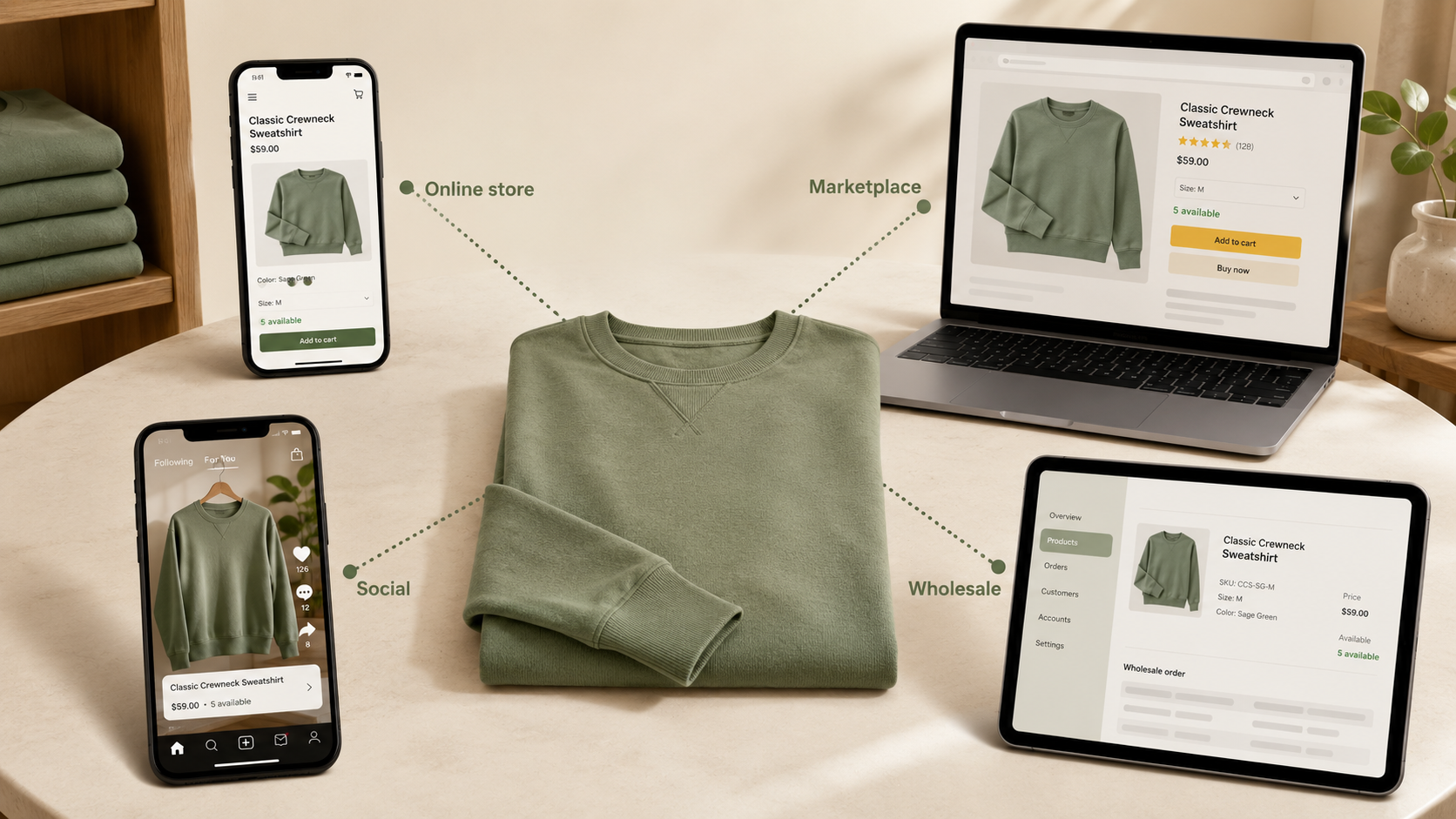
Every channel you sell on creates the same problem in a different shape: each one needs to know what you actually have in stock, right now, or it will sell something that doesn't exist. For retailers running anything beyond a single store on a single platform, multi-channel inventory sync stops being a nice-to-have and becomes the difference between a healthy operation and a steady drip of cancellations, apology emails, and refunds.
This guide explains what multi-channel inventory sync actually means, the channels that need to participate, how sync actually happens between systems, where these setups commonly fail, and what good sync looks like in practice.
What multi-channel inventory sync actually means
At its simplest, multi-channel inventory sync keeps every sales channel's view of stock aligned with one physical reality: the units actually sitting on your shelves, in your stockroom, and in your warehouse.
If you have 12 units of a sneaker in size 9, every channel that can sell that SKU should reflect that number — and as units sell through any of those channels, every other channel should update within seconds to reflect the new total. When this works, customers always see accurate availability; when it doesn't, customers buy things that don't exist and your team spends its day apologizing.
The challenge isn't conceptual; it's operational. Most retailers have several systems that each think they know what's in stock — the point-of-sale system, the e-commerce platform, sometimes a separate inventory management system, sometimes a marketplace listing tool — and keeping them aligned takes more than just turning on a sync feature.
The channels that need to sync
For most retailers running BOPIS, multi-store operations, or anything close to omnichannel, the systems that need to participate include:
Shopify (or whatever e-commerce platform you use) — your online storefront, where customers browse and buy.
Your point-of-sale system — Lightspeed Retail (R-Series), Lightspeed Retail (X-Series), Heartland Retail, Shopify POS, or whatever your stores run on. The POS is typically where the real-world inventory truth lives, because that's where physical transactions are recorded.
Marketplaces — Amazon, eBay, Etsy, Walmart Marketplace, and similar channels. Each one has its own listing inventory that needs to track with your physical stock.
Social commerce — Instagram, Facebook, TikTok Shop, and other social platforms where the same SKU is available for purchase.
B2B and wholesale channels — if you sell to other businesses through a separate B2B portal or wholesale Shopify storefront, that channel also needs to participate.
Multi-storefront retailers — if you run more than one Shopify site (retail, wholesale, regional, brand-specific), each storefront draws from the same physical inventory and needs to stay in sync.
Every one of these channels can sell the same physical unit. When two channels sell the same unit before either one knows about the other's sale, you've oversold — and the customer experience downstream is uniformly bad.
The source-of-truth question
Before the question of how to sync, there's a more fundamental one: which system holds your inventory ledger? The conventional answer is to pick one system as the "source of truth" and have every other channel mirror it.
For most multi-location retailers, that system is the POS — where the bulk of transactions happen, where staff record receiving and damages, where cycle counts get reconciled, and where the inventory is managed. Shopify is a sales channel that draws on that inventory. (For pure e-commerce retailers with no physical stores, Shopify plays that role itself.)
What matters less is which system and more that every channel reflects the same physical reality in real time, so the same unit never sells twice. How you get there — and whether your teams have to work out of one system to do it — is the real line between multichannel and true omnichannel, which we'll look at next.
Omnichannel vs. multichannel inventory: what's the difference?
These terms get used interchangeably, but the distinction changes how you manage stock.
Multichannel means you sell on more than one channel — your Shopify store, your in-store POS, maybe Amazon or eBay — each managed in parallel. The work is keeping every channel supplied and the numbers aligned so they don't drift apart.
Omnichannel means those channels stay aligned in real time, so a customer experiences one brand and you can sell and fulfill across all of them — buy online and pick up in store, ship from store, return online in store. The industry usually frames this as crowning one system the "source of truth" every other channel copies from.
Mortar gets to the same outcome a different way. Instead of forcing every team onto one master system to defer to, it keeps the systems your teams already use in step: your floor team works in Lightspeed or Heartland, your online team works in Shopify, and inventory, orders, and returns stay accurate in the tool each person actually uses — neither has to stop and check a master. The in-store channel, usually most of your revenue, stays first-class instead of becoming a mirror of someone else's system.
How sync happens
Inventory syncs between systems in different ways — manually (someone exports and imports on a cadence they remember), via batch refreshes that run every 15 minutes or longer between cycles, or via real-time updates that propagate within seconds of each change. Each model has a place: batch handles catalog updates, cycle count corrections, and end-of-day reconciliation well; manual works at very small scale; real-time is what's required for the stock counts customers actually see at checkout.
For the BOPIS-specific deep dive on why real-time matters and what batch sync gets wrong, see Real-time inventory accuracy: why BOPIS fails without it.
Common sync failures
Inventory sync setups go wrong in predictable ways:
Overselling. The biggest failure mode and the one that's usually fixable. Most overselling traces back to batch or manual sync running too slowly for the inventory's actual velocity. Real-time sync between the system that holds your inventory and every channel essentially eliminates this when configured correctly.
Inventory drift. The system says 3 units, the shelf has 0. Damages, miscounted returns, shrinkage, and cycle counts that drift between physical checks. This is a process problem more than a sync problem — accurate sync helps surface it before oversells happen, but the underlying ledger discipline is operational work that has to happen at the store level.
Channel-specific stockouts. Shopify shows 0 but Amazon shows 3. This usually means one channel's sync is healthy and another's is broken or delayed. Hard to diagnose without dashboards.
Drift across channels. Each channel's number is slightly different from the others, and no one is sure which is right. Without a clear, consistent inventory record and a healthy sync flowing from it, every channel ends up with its own slightly-wrong view, and reconciliation becomes a daily task.
End-of-day reporting pain. When inventory ledgers don't tie out across systems, daily and monthly reporting takes hours instead of minutes. This is usually the first symptom your bookkeeper raises.
What good multi-channel inventory looks like
A healthy multi-channel inventory setup has a short checklist:
- A clear system of record for inventory — usually the POS for retailers with physical stores, Shopify for pure e-commerce.
- Real-time, transaction-driven sync to every channel where customers can buy.
- Per-location visibility for retailers with multiple stores, so customers can see where stock actually lives.
- Per-channel buffers where it matters — small reserves to absorb count drift so the very last unit doesn't oversell.
- Bidirectional sync — channels report their sales back so every system stays current.
- A reconciliation backstop — a scheduled batch pass that compares each channel and catches anything real-time missed.
If your current sync setup has all of these, you have most of what you need. If it's missing one or two, those gaps are where overselling and drift will keep showing up.
How Mortar handles multi-channel inventory
For Shopify retailers running Lightspeed Retail (R-Series), Lightspeed Retail (X-Series), or Heartland Retail, Mortar is the integration layer that keeps inventory in sync across every channel:
- Real-time sync from POS to Shopify — every in-store sale, return, adjustment, and stock count propagates within seconds, not minutes.
- Inventory and product data flow from your POS to Shopify in real time — your store team keeps working in Lightspeed or Heartland and your online catalog stays accurate, with merchant-controlled attribute sync so you choose which fields flow to each Shopify channel.
- Multi-Shopify-storefront support — retail, wholesale, international, or brand-specific storefronts all draw from the same physical inventory.
- Marketplace compatibility through Shopify's marketplace apps — Mortar keeps Shopify aligned with the POS; Shopify's marketplace integrations keep Amazon, eBay, and others aligned with Shopify. One connection to keep healthy instead of a dozen — fewer moving parts, fewer points of failure, more reach.
- Per-location accuracy for retailers running multiple stores.
- Queued delivery alongside real-time sync — when a change can't propagate immediately (rate limits, downstream outage, network blip), it stays queued until the block clears. Nothing is dropped, no manual recovery.
- No replatforming required. Your store teams keep working in the POS they already use; Mortar handles the integration layer.
The combined effect: accurate inventory in every system at once, propagated in seconds, with the operational simplicity of one POS your team already knows.
See how Mortar handles multi-channel inventory →
Where to go next
- Real-time inventory accuracy: why BOPIS fails without it → — the BOPIS-specific deep dive on why real-time matters.
- BOPIS for multi-location retailers → — what changes when you run BOPIS across multiple stores.
- What is BOPIS? A retailer's guide → — the basics of buy online, pick up in store.
See how Mortar connects your POS with Shopify →
Add reach without adding overhead. Mortar runs your store and your online store as one operation. Add channels while you keep working in the POS you already use. Sell everywhere your customers are — without the work multiplying. Your store, everywhere. See how Mortar works · Why Mortar