
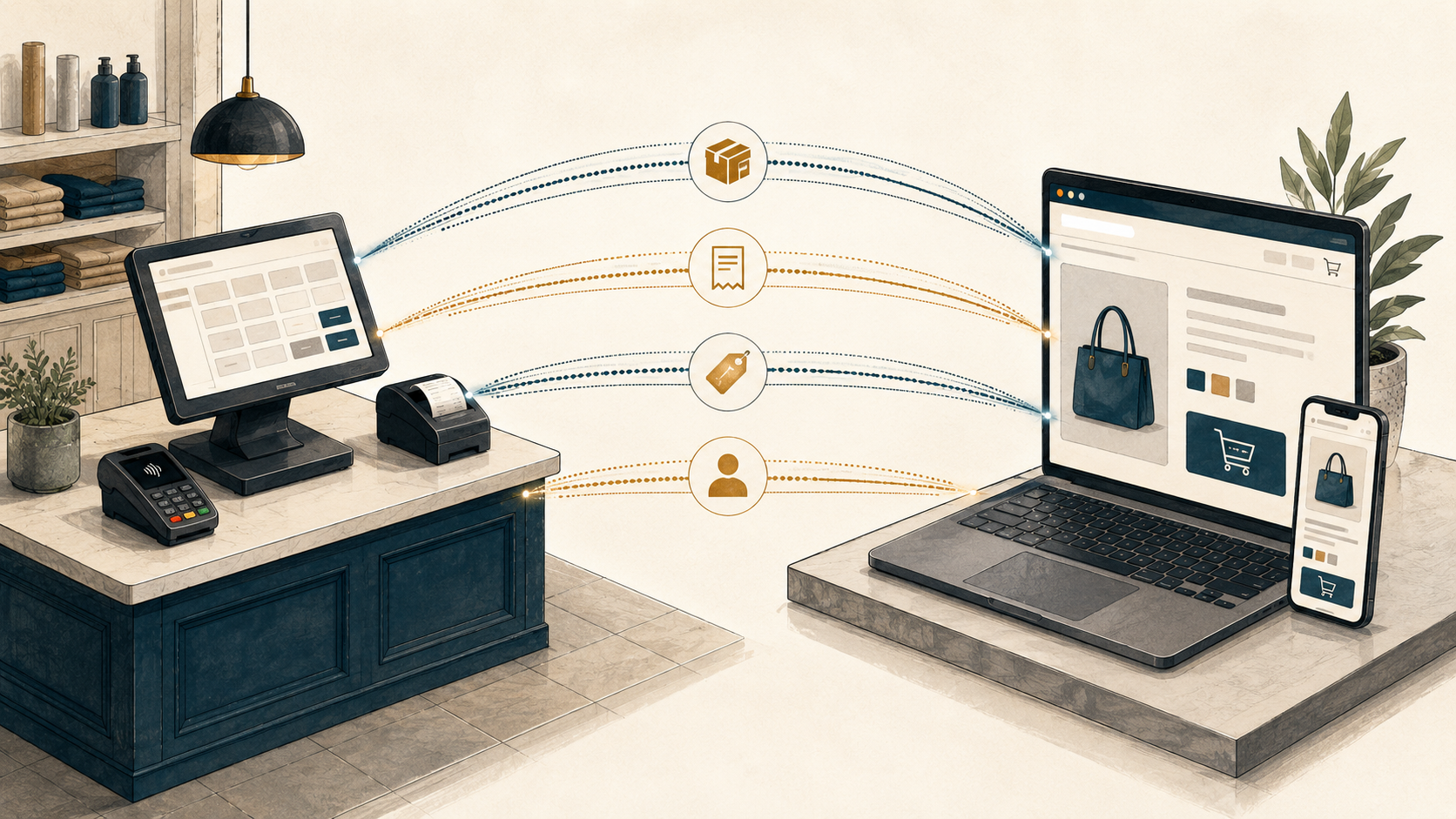
Every channel a retailer sells on creates the same problem in a different shape: each one needs to know what's actually in stock right now, or it will sell something that doesn't exist. For retailers running a physical store, an online storefront, and other digital and social channels, the connection between the two — POS-ecommerce integration — is what keeps inventory honest, orders moving, and customers buying things you can actually fulfill.
This guide explains what POS-ecommerce integration actually does, where it tends to break, what good integration looks like, and how retailers in different situations should think about choosing one.
If you are ready to connect your point-of-sale system to Shopify, Mortar offers purpose-built, customizable Shopify POS integrations for Lightspeed Retail and Heartland Retail.
What POS-ecommerce integration actually does
A POS-ecommerce integration sits between your point-of-sale system (where in-store transactions happen) and your ecommerce platform (where online transactions happen). Its job is to keep four things aligned across both systems, in real time:
Inventory. Every in-store sale, return, exchange, adjustment, and stock count needs to reflect across channels. Without it, online customers see availability that doesn't match the physical shelf.
Orders, refunds, and exchanges. Shopify orders need to go somewhere fulfillable — a specific store, warehouse, or 3PL. A good integration can route orders accurately and manage the inevitable returns and exchanges that come along with them.
Products. New products created in the POS need to appear online with the right details — descriptions, images, variants, pricing. And the integration needs to allow for your ecom team to manage those details independently.
Customers. The same person buying in-store and online should be recognized as one customer with one purchase history, not two separate records.
When these four things stay aligned, your team spends time selling. When they drift, your team spends time apologizing.
The systems that need to talk to each other
A typical retailer's stack:
- POS system — Lightspeed Retail (R-Series), Lightspeed Retail (X-Series), Heartland Retail, Shopify POS, Square, or whatever runs at the register
- Ecommerce platform — Shopify, Shopify Plus, or alternatives
- Marketplaces and social channels — Amazon, eBay, Etsy, Instagram Shop, TikTok Shop, B2B portals
- Operational add-ons — shipping (ShipStation), returns (Loop, Narvar, Returnly), accounting (QuickBooks, Xero, Netsuite), and ERP systems if the operation is large enough.
The integration's job is to be the connective tissue — typically connecting the POS to Shopify, with Shopify itself extending out to marketplaces and channels through its own marketplace apps. That's one connection to keep healthy instead of a dozen — fewer moving parts, fewer points of failure, more reach. Done well, every channel reads from one source of truth and every transaction propagates back to it within seconds.
For more on managing inventory across multiple sales channels specifically, see How to sync inventory across multiple sales channels.
The source-of-truth question
Before integration can do its job, there's a more fundamental question: which system owns the inventory ledger?
For most multi-location retailers, the answer is the POS. The POS is where the majority of transactions actually happen, where store staff record inventory receiving and adjustments, where cycle counts get reconciled, and where the inventory ledger is operationally maintained. Shopify is a sales channel that draws from that ledger. If you get big enough, an ERP may become the source.
For pure-ecommerce retailers with no physical stores, Shopify itself may be the source of truth or an IMS, 3PL or ERP as they scale.
One case sits outside this question entirely: a single-vendor stack, where your POS and online store are the same platform. Shopify is the cleanest example — Shopify POS and a Shopify online store read from one database but requires an inventory management app. Lightspeed offers its own version with Lightspeed Retail natively integrated to Lightspeed eCom, but many retailers on Lightspeed eCom find the storefront limiting — which is exactly what leads merchants to pair Lightspeed's register with Shopify for the online side. Lightspeed vs. Shopify POS works through who fits where.
Whichever system holds the truth, every other channel needs to receive its updates from that system. When two systems both think they own the inventory ledger, drift starts immediately and is almost impossible to recover from.
Where POS-ecommerce integration breaks
Integration setups go wrong in predictable ways. The most common fails, in rough order of frequency:
Overselling. The biggest issue and usually the most fixable. Most overselling traces back to batch sync running too slowly for the inventory's actual velocity. Real-time sync between the source of truth and every channel essentially eliminates this when designed correctly.
Inventory drift. The system says three units, the shelf has zero. Misprocessed returns, custom sales, damages, shrinkage, and cycle counts that drift between physical checks. This is a process problem more than a sync problem — accurate sync helps surface it before oversells happen, but the underlying ledger discipline is operational work that has to happen at the store level.
The returns and exchanges gap. Most POS-ecommerce integrations don't sync refunds or exchanges back from the ecommerce platform to the POS. With online return rates typically running 20–35%, every unsynced return adds compounding drift to your inventory ledger.
Silent order drops. Some integrations skip orders with archived status, unlinked products, custom line items, or third-party fulfillment app sources — with no error or alert. A merchant only finds out when a customer asks where their order is.
Product linking gaps. If products aren't matched correctly between the POS and the ecommerce platform, they hold separate inventory counts on each side. Counts double, drift, or both.
For a deeper look at how real-time sync prevents the first three of these in a BOPIS context specifically, see Real-time inventory accuracy: why BOPIS fails without it.
What good integration looks like
A healthy POS-ecommerce integration has a short checklist:
- A clear single source of truth — usually the POS for retailers with physical stores.
- Real-time, transaction-driven sync from the source to every channel where customers can buy
- Product matching that doesn't require manual linking — SKU, UPC, or EAN at minimum
- Per-location visibility for retailers with multiple stores, so customers see where stock actually lives and store teams see their own orders
- Return and exchange sync, not just order sync
- Order routing rules that put orders in front of the right fulfillment team
- A reconciliation backstop — a scheduled batch pass that compares each channel to source and catches anything real-time missed
- Sync error alerts, so issues surface before they become inventory problems
If your current integration covers all of these, you're in a healthy spot. If it's missing any of these, keep reading.
The two integration approaches: native vs. third-party
POS platforms either offer their own ecommerce integration (native) or rely on third-party connectors. The choice usually comes down to operation size and complexity, not preference.
Native integrations — like Lightspeed's free Shopify or Lightspeed Ecom integration, or Square's integration to Square online — are free or bundled with the POS subscription. For single-location stores with stable product catalogs and low return volume, they're often enough to start with.
What native integrations commonly miss: multi-location order routing, refund and exchange sync, archived order handling, and resilient product matching that holds up when product data changes — which it constantly does.
Third-party integrations — Mortar, SKU IQ, 24seven Commerce, KosmosCentral, and others — are subscription products built specifically for the integration job, not as a side feature of the POS platform. They typically cover the operational gaps native integrations leave behind: multi-location routing, returns sync, gift card sync, per-location fulfillment, sync error alerts. Subscription pricing typically starts around $39–$45/month and scales with order volume or location count.
Native is the right starting point for many retailers, especially those just getting started. Third-party becomes essential when the operation grows past a trickle of orders — usually when online sales pass 10% of overall sales, when there are multiple locations, meaningful return or order volume, or BOPIS.
If you're evaluating specific options, Mortar vs. Lightspeed's native Shopify integration and Mortar vs. SKU IQ compare the day-to-day differences in detail.
How do retailers choose?
Three common retailer situations and what each typically needs:
Single location, stable catalog, low returns. Native is usually sufficient. Start free, upgrade only if you outgrow it. But if you have big plans, skip to third-party.
Multi-location, growing online channel. Third-party usually needed. Returns sync, order routing, and per-location inventory matter from day one.
High transaction volume — orders, returns, or BOPIS. Third-party usually essential. Sync velocity, multi-channel order routing, and returns handling become operational bottlenecks faster than retailers expect. The native integrations that work fine at low volume often can't keep up at scale.
If BOPIS is in the picture and you haven't formalized the operational thinking yet, What is BOPIS? A retailer's guide is the place to start.
From here, this post gets specific about Mortar — the third-party integration we build — and where it fits in the picture above.
Where Mortar fits
If your POS is Lightspeed Retail (R-Series), Lightspeed Retail (X-Series), or Heartland Retail and you sell on Shopify, Mortar is purpose-built for the operational gaps this post described. Real-time inventory sync prevents oversells. Returns and exchange sync closes the returns gap. Product matching by SKU, UPC, or EAN means no manual linking. Mortar handles archived Shopify orders and third-party fulfillment app sources — the edge cases that quietly drop in other integrations. Gift card sync keeps in-store and online balances in alignment.
Implementation takes hours, not weeks — most stores are syncing within 30 minutes of install, with no store reset and no manual product re-export. Your existing historical orders, customer records, and inventory counts stay where they are. Pricing starts at $39/month and scales with order volume.
Marine Layer grew from 4 stores to 54 with Mortar keeping their Lightspeed and Shopify inventory in sync the whole way.
- Mortar for Lightspeed X-Series + Shopify →
- Mortar for Lightspeed R-Series + Shopify →
- Mortar for Heartland Retail + Shopify →
Where to go next
Want the details on your scenario?
- How to sync inventory across multiple sales channels →
- Real-time inventory accuracy: why BOPIS fails without it →
- What is BOPIS? A retailer's guide →
On comparing integration options:
On Mortar's solution pages:
- All Shopify POS integrations →
- Lightspeed X-Series + Shopify →
- Lightspeed R-Series + Shopify →
- Heartland Retail + Shopify →
Add reach without adding overhead. Mortar runs your store and your online store as one operation. Add channels while you keep working in the POS you already use. Sell everywhere your customers are — without the work multiplying. Your store, everywhere. See how Mortar works · Why Mortar